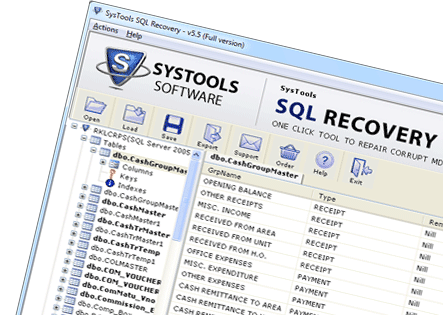
SQL Server Database Repair Tool - Built to Perfection
SQL Server database repair application is amongst the most technically structured yet in-demand tools in the present time. Using this SQL Recovery program availing database repair solution in any circumstance is possible. Supportive to all available editions, this tool also serves a successful repair solution for SQL Server 2000 database to SQL Server 2012 database as well. Almost all set of corruption issues have effortlessly been handled by this application.


Excellence Featuring Attributes of SQL Server Database Recovery Tool
A wide range of highly qualitative properties have been featured in the SQL Recovery application. Have a look at the excellence of recovery the tool serves via these attributes in the following list of features:
 Recovery and restoration of database elements like user defined data types, rules, objects, default values, checks, triggers, tables and stored procedures etc. can be carried out with perfection.
 One can effortlessly restore SQL Server database regardless of the level of technical knowledge owned by them. As the application offers a user friendly operational end; even a novice can own excellence of controlling it like an expert.
 Performing the recovery of SQL MDF file from all cases of database corruption is possible via this tool with its technical integration.
 Post the SQL Server database recovery users can either save their database into existing file or can save it as a new SQL based script file too in the unavailability of Server.
 High speed of SQL Server database repair and restoration of database in healthy form is provisioned by the application to ensure convenience being served to the users.
 Database keys including unique, foreign, and primary keys are recovered with complete assurance and retention rendered by our application to recover SQL Server database.
Repair SQL Server Database For Free
 This SQL Recovery application rendered by our organization has been designed specifically for rendering users having the need to repair their corrupt or inaccessible database. Hence, for provisioning satisfactory service a free of cost trial edition is rendered. Using this edition, you can run and analyze the tool by repairing database with the limitation of not restoring repaired database.
Fix SQL Database and Restore to Server
 However, purchasing the reasonably priced application to restore SQL Server database you can effortlessly perform recovery as well as restoration of unlimited number of database files. Full version of the tool can be availed in three different licenses ranging from Personal, Business, to Enterprise.